Forum Applications System Tools Virtual CloneDrive
 by
MâDmâX
»
11.09.2021 17:13:45
by
MâDmâX
»
11.09.2021 17:13:45
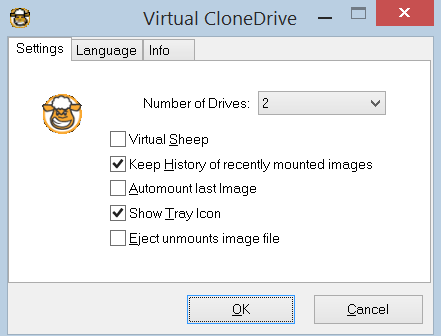
Virtual CloneDrive works and behaves just like a physical CD, DVD, or Blu-ray drive, although it only exists virtually.
Image files can be "inserted" into the virtual drive from your harddisk or from a network drive by just a double-click, and thus be used like a normal CD, DVD, or Blu-ray.
Virtual CloneDrive supports up to 15 virtual drives at the same time - no matter if the image file contains audio, video or just simple data.
Virtual CloneDrive is fully integrated in Windows Explorer context menus and on top of all it is free!
-

MâDmâX -
Administrator
Forum-Member - Posts: 100
- Joined: 2020-01-04 01:12:05
-
 Update to AC-Rev. "9d321c8"
by MâDmâX
25.10.24 - 11:58 o'clock -
Update allowed build to "11.0.2.56819"
by MâDmâX
24.10.24 - 21:18 o'clock -
Shoutcast v2 HTTP to HTTPS
by MâDmâX
17.10.24 - 05:58 o'clock -
Windows Server 2025
by MâDmâX
14.10.24 - 14:24 o'clock -
Few Scripts for trinitycore master branch
by MâDmâX
11.10.24 - 19:39 o'clock
-
Steam Authentication available
by MâDmâX
08.02.24 - 22:36 o'clock -
We present the: Toplist
by MâDmâX
06.11.23 - 13:28 o'clock -
Welcome
by MâDmâX
04.01.20 - 03:12 o'clock